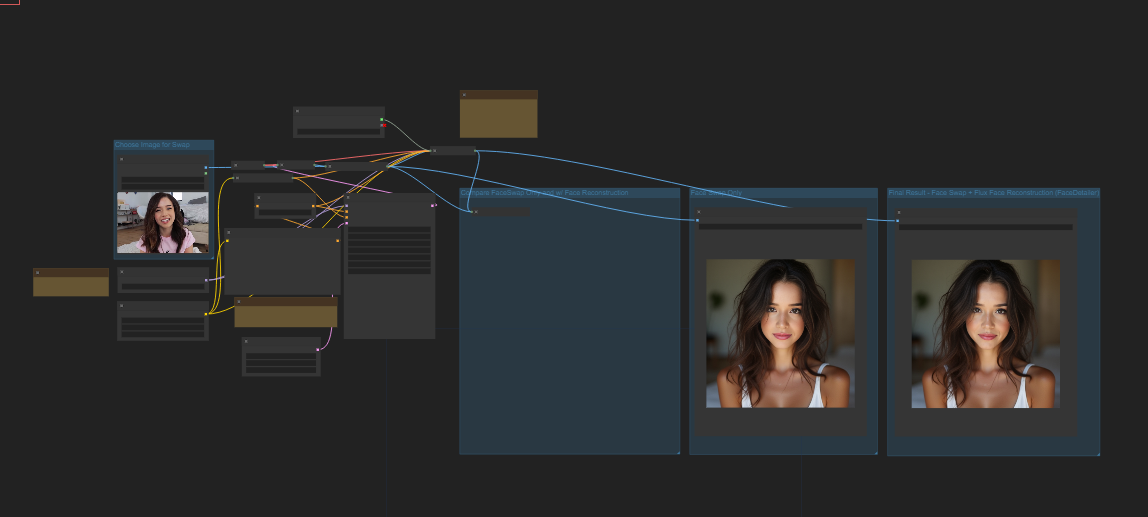
这个问题搞到最后把我自己逗乐了,我暂且还原下我在配置这个工作流环境遇到的问题。
这个工作流来自civitai 老外分享的一个换脸工作流,我将其导入本地comfyui之后照常安装缺失节点,包括如下部分:
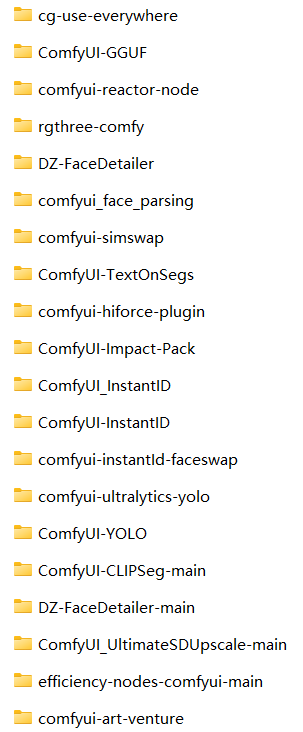
怎么会这么多节点要安装? 首先我导入这个工作流默认只提示缺失三个节点,GGUF和everywhere以及reactor这些。
安装好重启出现如下报错:
During handling of the above exception, another exception occurred:

Traceback (most recent call last):
  File "D:\ComfyUI-aki\ComfyUI-aki-v1.3\nodes.py", line 1993, in load_custom_node
    module_spec.loader.exec_module(module)
  File "<frozen importlib._bootstrap_external>", line 883, in exec_module
  File "<frozen importlib._bootstrap>", line 241, in _call_with_frames_removed
  File "D:\ComfyUI-aki\ComfyUI-aki-v1.3\custom_nodes\comfyui_face_parsing\__init__.py", line 18, in <module>
    download_url("https://huggingface.co/jonathandinu/face-parsing/resolve/main/config.json?download=true", face_parsing_path, "config.json")
  File "D:\ComfyUI-aki\ComfyUI-aki-v1.3\python\lib\site-packages\torchvision\datasets\utils.py", line 134, in download_url
    url = _get_redirect_url(url, max_hops=max_redirect_hops)
  File "D:\ComfyUI-aki\ComfyUI-aki-v1.3\python\lib\site-packages\torchvision\datasets\utils.py", line 82, in _get_redirect_url
    with urllib.request.urlopen(urllib.request.Request(url, headers=headers)) as response:
  File "D:\ComfyUI-aki\ComfyUI-aki-v1.3\python\lib\urllib\request.py", line 216, in urlopen
    return opener.open(url, data, timeout)
  File "D:\ComfyUI-aki\ComfyUI-aki-v1.3\python\lib\urllib\request.py", line 519, in open
    response = self._open(req, data)
  File "D:\ComfyUI-aki\ComfyUI-aki-v1.3\python\lib\urllib\request.py", line 536, in _open
    result = self._call_chain(self.handle_open, protocol, protocol +
  File "D:\ComfyUI-aki\ComfyUI-aki-v1.3\python\lib\urllib\request.py", line 496, in _call_chain
    result = func(*args)
  File "D:\ComfyUI-aki\ComfyUI-aki-v1.3\python\lib\urllib\request.py", line 1391, in https_open
    return self.do_open(http.client.HTTPSConnection, req,
  File "D:\ComfyUI-aki\ComfyUI-aki-v1.3\python\lib\urllib\request.py", line 1351, in do_open
    raise URLError(err)
urllib.error.URLError: <urlopen error [WinError 10060] 由于连接方在一段时间后没有正确答复或连接的主机没有反应,连接尝试失败。>

Cannot import D:\ComfyUI-aki\ComfyUI-aki-v1.3\custom_nodes\comfyui_face_parsing module for custom nodes: <urlopen error [WinError 10060] 由于连接方在一段时间后没有正确答复或连接的主机没有反应,连接尝试失败。>
FizzleDorf Custom Nodes: Loaded
FaceDetailer: Model directory already exists
FaceDetailer: Model doesnt exist
FaceDetailer: Downloading model
说明face_parsing节点是安装了,但是facedetailer依赖的模型下载失败,GPT指引我去这个插件文件夹下找到nodes.py 文件,看它需要下载哪些模型,以及模型的下载地址都是哪些,代码如下:
ef get_restorers():
    models_path = os.path.join(models_dir, "facerestore_models/*")
    models = glob.glob(models_path)
    models = [x for x in models if (x.endswith(".pth") or x.endswith(".onnx"))]
    if len(models) == 0:
        fr_urls = [
            "https://huggingface.co/datasets/Gourieff/ReActor/resolve/main/models/facerestore_models/GFPGANv1.3.pth",
            "https://huggingface.co/datasets/Gourieff/ReActor/resolve/main/models/facerestore_models/GFPGANv1.4.pth",
            "https://huggingface.co/datasets/Gourieff/ReActor/resolve/main/models/facerestore_models/codeformer-v0.1.0.pth",
            "https://huggingface.co/datasets/Gourieff/ReActor/resolve/main/models/facerestore_models/GPEN-BFR-512.onnx",
            "https://huggingface.co/datasets/Gourieff/ReActor/resolve/main/models/facerestore_models/GPEN-BFR-1024.onnx",
            "https://huggingface.co/datasets/Gourieff/ReActor/resolve/main/models/facerestore_models/GPEN-BFR-2048.onnx",
        ]
        for model_url in fr_urls:
            model_name = os.path.basename(model_url)
            model_path = os.path.join(dir_facerestore_models, model_name)
            download(model_url, model_path, model_name)
        models = glob.glob(models_path)
        models = [x for x in models if (x.endswith(".pth") or x.endswith(".onnx"))]
return models好家伙,地址都对,也能手动下载模型放到models/facerestore_models即可。但是偏偏后台下载提示无响应。手动下载重启节点后问题消失。
之后重磅的来了,提示找不到 AV_Facedetailer 节点,这就让我很纳闷折腾了2个小时,为什么呢?谷歌找不到一个唯一匹配的答案是这个 但偏偏又没有下载链接,github上空空如也。所以你就知道为啥我第一张图拉了一个那么长的清单安装的节点了吧?我一直以为是impact-pack 依赖项节点是它,一顿操作下来原地杵。
继续回到civitai去看评论,果然大家都遇到这个问题。
如图:
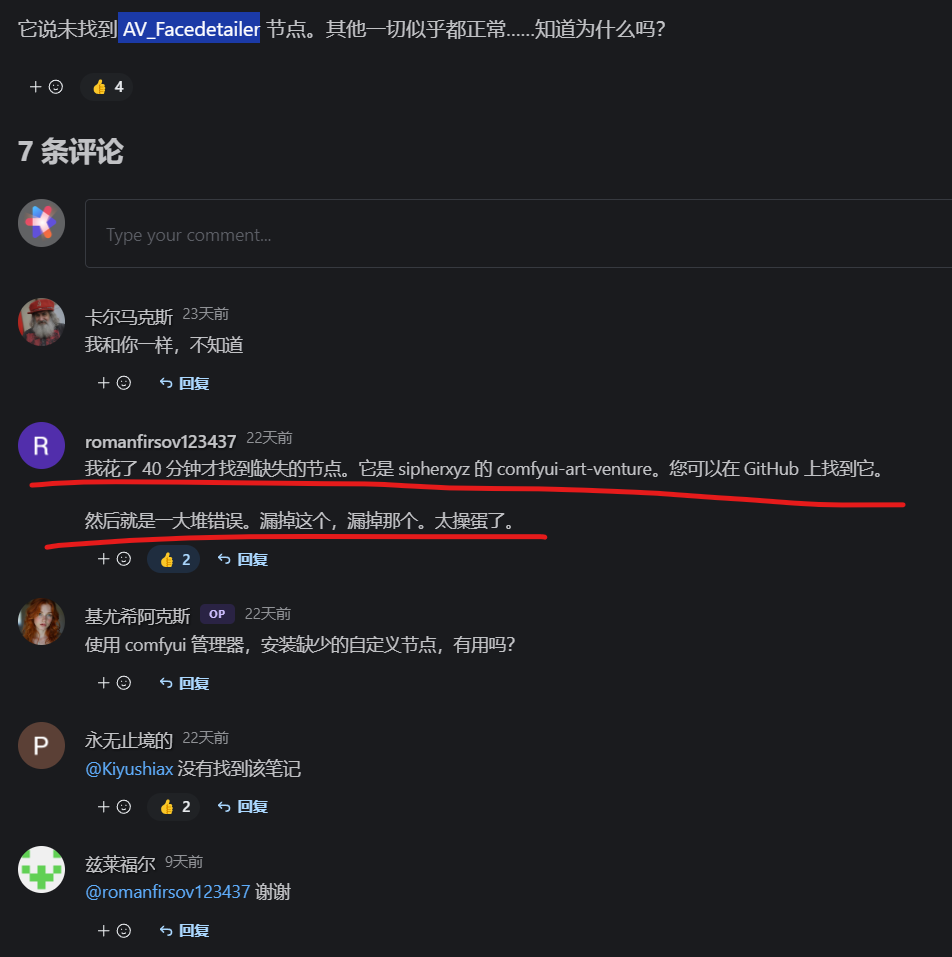
AV_Facedetailer 这个节点命名和art-venture相差也太远了吧! 要没这个大哥发出来天王老子都找不到这个节点啊。事实上3个多小时,总算把这个流程顺利安装好了。
嗯,如果有遇到类似的朋友,记得看评论,记得看说明书,太操蛋了。 先做个记录,换脸效果后续补上,因为我发现GGUF这个节点需要依赖预训练好的模型。
9月28日更新换脸工作流节点的问题:
今天像实际跑一下流程看是否跑通,上传照片之后出现如下报错:
执行 KSampler 时发生错误:cast_to() 得到了一个意外的关键字参数“copy” 文件“D:\ComfyUI-aki\ComfyUI-aki-v1.3\execution.py”, 第 317 行,在执行 output_data, output_ui, has_subgraph = get_output_data(obj, input_data_all, executive_block_cb=execution_block_cb, pre_execute_cb=pre_execute_cb) 文件“D:\ComfyUI-aki\ComfyUI-aki-v1.3\execution.py”, 第 192 行,在 get_output_data return_values = _map_node_over_list(obj, input_data_all, obj.FUNCTION, allow_interrupt=True, executive_block_cb=execution_block_cb, pre_execute_cb=pre_execute_cb) 文件“D:\ComfyUI-aki\ComfyUI-aki-v1.3\execution.py”, 第 169 行, 在 _map_node_over_list process_inputs(input_dict, i) 文件“D:\ComfyUI-aki\ComfyUI-aki-v1.3\execution.py”, 第 158 行, 在 process_inputs results.append(getattr(obj, func)(**inputs)) 文件“D:\ComfyUI-aki\ComfyUI-aki-v1.3\nodes.py”, 第 1429 行, 在 sample return common_ksampler(model, seed, steps, cfg, sampler_name, scheduler, positive, negative, latent_image, denoise=denoise) 文件“D:\ComfyUI-aki\ComfyUI-aki-v1.3\nodes.py”, 第 1396 行, 在 common_ksampler samples = comfy.sample.sample(model, noise, steps, cfg, sampler_name, scheduler, positive, negative, latent_image, File "D:\ComfyUI-aki\ComfyUI-aki-v1.3\custom_nodes\ComfyUI-Impact-Pack\modules\impact\sample_error_enhancer.py", line 9, in informative_sample return original_sample(*args, **kwargs) # 此代码有助于解释异常中发生的错误消息,但不会对其他操作产生任何影响。文件“D:\ComfyUI-aki\ComfyUI-aki-v1.3\custom_nodes\ComfyUI-AnimateDiff-Evolved\animatediff\sampling.py”,第 420 行,在 motion_sample 中返回 orig_comfy_sample(model, noise, *args, **kwargs) 文件“D:\ComfyUI-aki\ComfyUI-aki-v1.3\comfy\sample.py”,第 43 行,在样本中 samples = sampler.sample(noise, positive, negative, cfg=cfg, latent_image=latent_image, start_step=start_step, last_step=last_step, force_full_denoise=force_full_denoise, denoise_mask=noise_mask, sigmas=sigmas, callback=callback, disable_pbar=disable_pbar, seed=seed) 文件“D:\ComfyUI-aki\ComfyUI-aki-v1.3\comfy\samplers.py”, 第 829 行,在样本中返回样本(self.model、noise、positive、negative、cfg、self.device、sampler、sigmas、self.model_options、latent_image=latent_image、denoise_mask=denoise_mask、callback=callback、disable_pbar=disable_pbar、seed=seed)文件“D:\ComfyUI-aki\ComfyUI-aki-v1.3\comfy\samplers.py”, 第 729 行,在样本中返回 cfg_guider.sample(noise、latent_image、sampler、sigmas、denoise_mask、callback、disable_pbar、seed)文件“D:\ComfyUI-aki\ComfyUI-aki-v1.3\comfy\samplers.py”, 第 716 行,在样本中输出 = self.inner_sample(noise, latent_image, device, sampler, sigmas, denoise_mask, callback, disable_pbar, seed) 文件“D:\ComfyUI-aki\ComfyUI-aki-v1.3\comfy\samplers.py”,第 695 行,在 inner_sample 中,samples = sampler.sample(self,sigmas、extra_args、callback、noise、latent_image、denoise_mask、disable_pbar) 文件“D:\ComfyUI-aki\ComfyUI-aki-v1.3\comfy\samplers.py”, 第 600 行, 在样本中 samples = self.sampler_function(model_k、noise、sigmas、extra_args=extra_args、callback=k_callback、disable=disable_pbar、**self.extra_options) 文件“D:\ComfyUI-aki\ComfyUI-aki-v1.3\python\lib\site-packages\torch\utils\_contextlib.py”, 第 115 行, 在 decorate_context return func(*args, **kwargs) 文件“D:\ComfyUI-aki\ComfyUI-aki-v1.3\comfy\k_diffusion\sampling.py”, 第 144 行, 在sample_euler denoised = model(x, sigma_hat * s_in, **extra_args) 文件“D:\ComfyUI-aki\ComfyUI-aki-v1.3\comfy\samplers.py”, 第 299 行, 在 __call__ out = self.inner_model(x, sigma, model_options=model_options, seed=seed) 文件“D:\ComfyUI-aki\ComfyUI-aki-v1.3\comfy\samplers.py”, 第 682 行, 在 __call__ return self.predict_noise(*args, **kwargs) 文件“D:\ComfyUI-aki\ComfyUI-aki-v1.3\comfy\samplers.py”, 第 685 行, 在 predict_noise return samples_function(self.inner_model, x, timestep, self.conds.get("negative", None), self.conds.get("positive", None), self.cfg, model_options=model_options, seed=seed) 文件“D:\ComfyUI-aki\ComfyUI-aki-v1.3\comfy\samplers.py”, 第 279 行, 在 samples_function 中 out = calc_cond_batch(model, conds, x, timestep, model_options) 文件“D:\ComfyUI-aki\ComfyUI-aki-v1.3\comfy\samplers.py”, 第 228 行, 在 calc_cond_batch 中 output = model.apply_model(input_x, timestep_, **c).chunk(batch_chunks) 文件“D:\ComfyUI-aki\ComfyUI-aki-v1.3\comfy\model_base.py”, 第 142 行, 在 apply_model 中 model_output = self.diffusion_model(xc, t, context=context,control=control,transformer_options=transformer_options,**extra_conds).float() 文件“D:\ComfyUI-aki\ComfyUI-aki-v1.3\python\lib\site-packages\torch\nn\modules\module.py”,第 1518 行,在 _wrapped_call_impl 中返回 self._call_impl(*args,**kwargs) 文件“D:\ComfyUI-aki\ComfyUI-aki-v1.3\python\lib\site-packages\torch\nn\modules\module.py”,第 1527 行,在 _call_impl 中返回 forward_call(*args,**kwargs) 文件“D:\ComfyUI-aki\ComfyUI-aki-v1.3\comfy\ldm\flux\model.py”,第 159 行,在 forward out = self.forward_orig(img, img_ids、context、txt_ids、timestep、y、guided、control)文件“D:\ComfyUI-aki\ComfyUI-aki-v1.3\comfy\ldm\flux\model.py”,第 118 行,在 forward_orig img 中,txt = block(img=img, txt=txt, vec=vec, pe=pe) 文件“D:\ComfyUI-aki\ComfyUI-aki-v1.3\python\lib\site-packages\torch\nn\modules\module.py”,第 1518 行,在 _wrapped_call_impl 中返回 self._call_impl(*args, **kwargs) 文件“D:\ComfyUI-aki\ComfyUI-aki-v1.3\python\lib\site-packages\torch\nn\modules\module.py”,第 1527 行,在 _call_impl 中返回forward_call(*args, **kwargs) 文件“D:\ComfyUI-aki\ComfyUI-aki-v1.3\comfy\ldm\flux\layers.py”,第 148 行,向前 img_mod1,img_mod2 = self.img_mod(vec) 文件“D:\ComfyUI-aki\ComfyUI-aki-v1.3\python\lib\site-packages\torch\nn\modules\module.py", 第 1518 行,在 _wrapped_call_impl 中返回 self._call_impl(*args, **kwargs) 文件“D:\ComfyUI-aki\ComfyUI-aki-v1.3\python\lib\site-packages\torch\nn\modules\module.py", 第 1527 行,在 _call_impl 中返回 forward_call(*args, **kwargs) 文件“D:\ComfyUI-aki\ComfyUI-aki-v1.3\comfy\ldm\flux\layers.py", 第 110 行,在 forward out = self.lin(nn. functional.silu(vec))[:, None, :].chunk(self.multiplier, dim=-1) 文件“D:\ComfyUI-aki\ComfyUI-aki-v1.3\python\lib\site-packages\torch\nn\modules\module.py”, 第 1518 行, 在 _wrapped_call_impl 中返回 self._call_impl(*args, **kwargs) 文件 “D:\ComfyUI-aki\ComfyUI-aki-v1.3\python\lib\site-packages\torch\nn\modules\module.py”, 第 1527 行, 在 _call_impl 中返回 forward_call(*args, **kwargs) 文件 “D:\ComfyUI-aki\ComfyUI-aki-v1.3\comfy\ops.py”, 第 67 行, 在 forward 中返回 self.forward_comfy_cast_weights(*args, **kwargs) 文件“D:\ComfyUI-aki\ComfyUI-aki-v1.3\custom_nodes\ComfyUI-GGUF\ops.py”, 第 152 行, 在 forward_comfy_cast_weights 中返回 self.forward_ggml_cast_weights(input, *args, **kwargs) 文件“D:\ComfyUI-aki\ComfyUI-aki-v1.3\custom_nodes\ComfyUI-GGUF\ops.py”, 第 174 行, 在 forward_ggml_cast_weights 中 weight, bias = self.cast_bias_weight(input) 文件“D:\ComfyUI-aki\ComfyUI-aki-v1.3\custom_nodes\ComfyUI-GGUF\ops.py”, 第 144 行, 在 cast_bias_weight 中 bias = comfy.ops.cast_to(bias, bias_dtype, device, non_blocking=non_blocking,复制=False)在 cast_bias_weight bias = comfy.ops.cast_to(bias、bias_dtype、device、non_blocking=non_blocking、copy=False) 中在 cast_bias_weight bias = comfy.ops.cast_to(bias、bias_dtype、device、non_blocking=non_blocking、copy=False) 中很显然,这个报错出现GGUF和Animatediff插件之间的兼容性问题,我发现本地的Animatediff插件是没有模型依赖的,猜测是没模型导致报错?所以下载了两个模型一个ckpt一个lora,但是没有解决,依然报以上错误。
查询GPT找答案:
将以上报错发过去,补充了如下问题:我看别人反馈这种报错是animatediff插件导致的链接地址:https://github.com/Kosinkadink/ComfyUI-AnimateDiff-Evolved,说什么不是最新版本我升级的都是新版本,依然是这个报错
得到答案:
您遇到的错误
cast_to() got an unexpected keyword argument 'copy'确实与 ComfyUI 的最新版本与插件之间的兼容性问题有关AnimateDiff-Evolved。看来根本原因是 ComfyUI 更新与
AnimateDiff-Evolved插件不匹配。最新的 ComfyUI 更新引入了某些自定义节点的旧版本不完全支持的更改,包括它们处理参数的方式,例如copy在以下函数中(cast_to()GitHub) (
GitHub)。
要解决此问题,请执行以下操作:
- 更新 AnimateDiff-Evolved:确保您正在运行
AnimateDiff-Evolved插件的最新版本。插件的开发人员 Kosinkadink 提到,需要进行小规模重构才能使插件与 ComfyUI 中的最新更改兼容。更新主 ComfyUI 和AnimateDiff-Evolved应该可以解决问题 (GitHub)。- 检查节点依赖关系:如果更新后问题仍然存在,请检查任何节点或采样器特定的依赖关系(例如
ComfyUI-GGUF)可能也需要更新,因为某些节点可能仍引用已弃用的参数,例如(copyGitHub)。遵循这些步骤应该有助于消除错误并使插件顺利运行。
所以这时候,更新了comfyui的主程序版本到最新,报错问题解决!

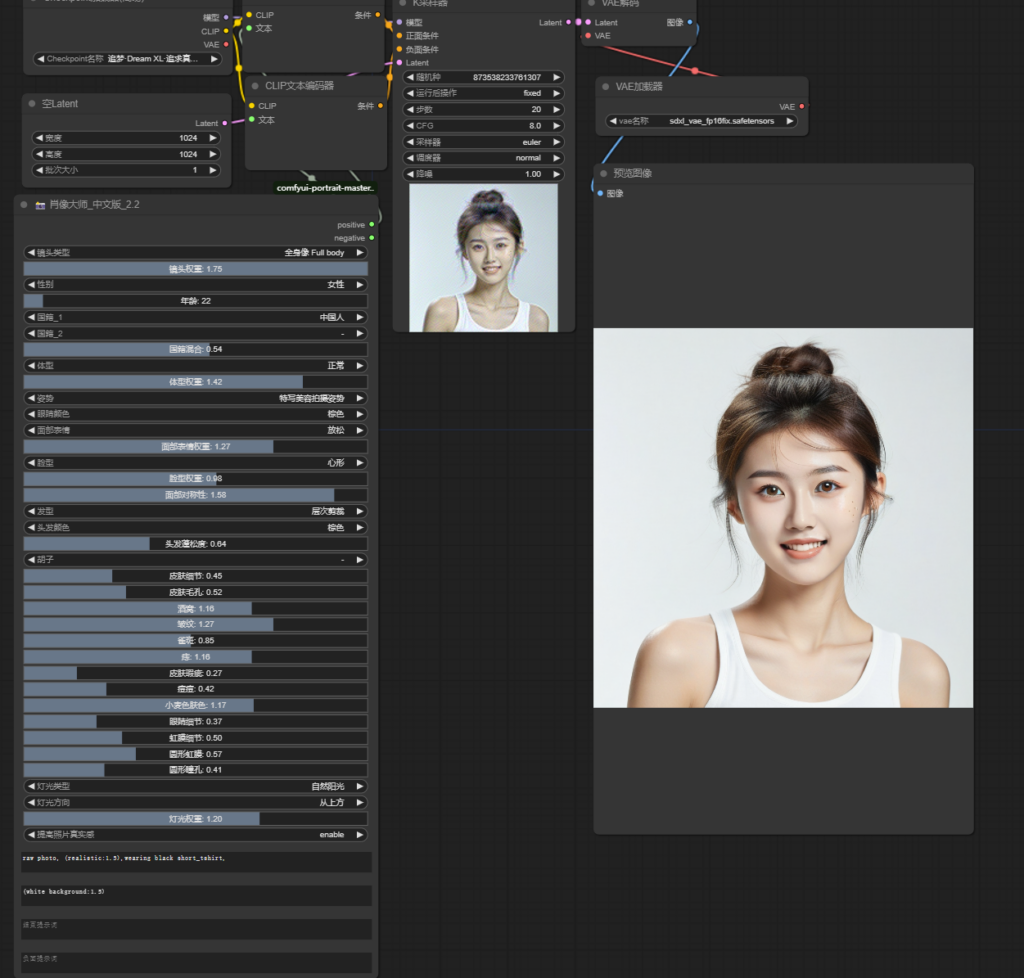
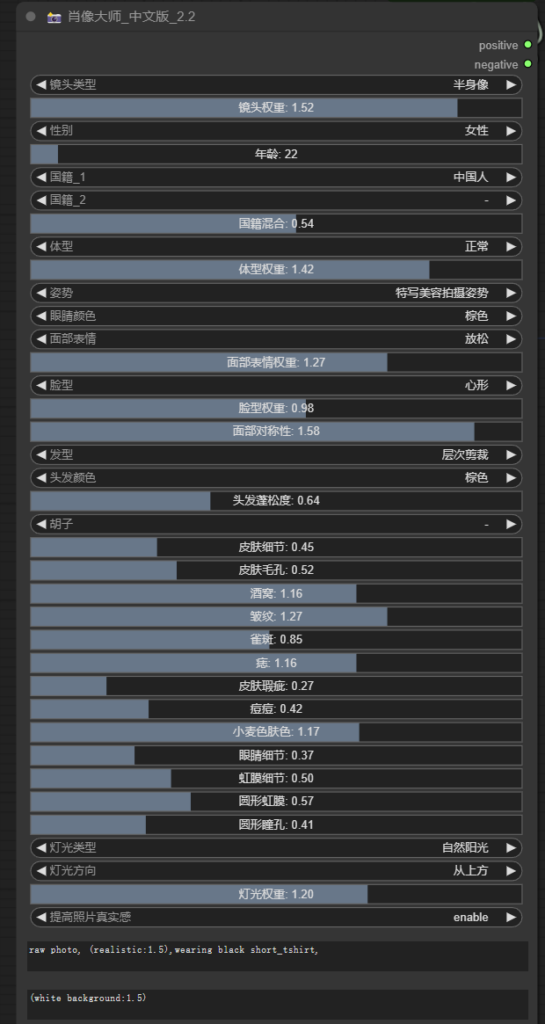



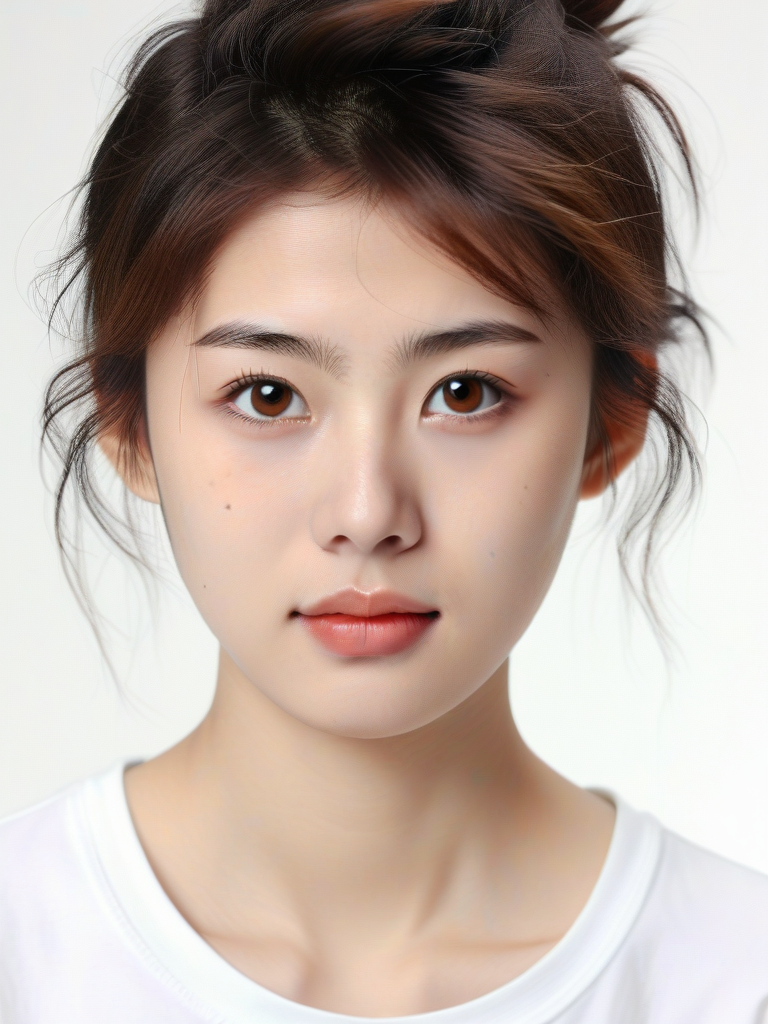


































![[DALL·E 3]算是最易用的自然语言绘画](https://www.trilightlab.com/wp-content/uploads/2024/01/截屏2023-07-25-20.59.26.png)










![[stable diffusion]浅谈AI游戏道具-在项目中的运用](https://www.trilightlab.com/wp-content/uploads/2024/01/064515616.png)